
POS TERMINALS / S3
S3 Dual-Platform POS Terminal
Choose a full-metal POS terminal around your retail or restaurant software. The S3 series offers S3W Windows and S3A Android configurations, a 15-inch Full HD standard display and 15.6-inch upgrade layouts with customer-display choices.
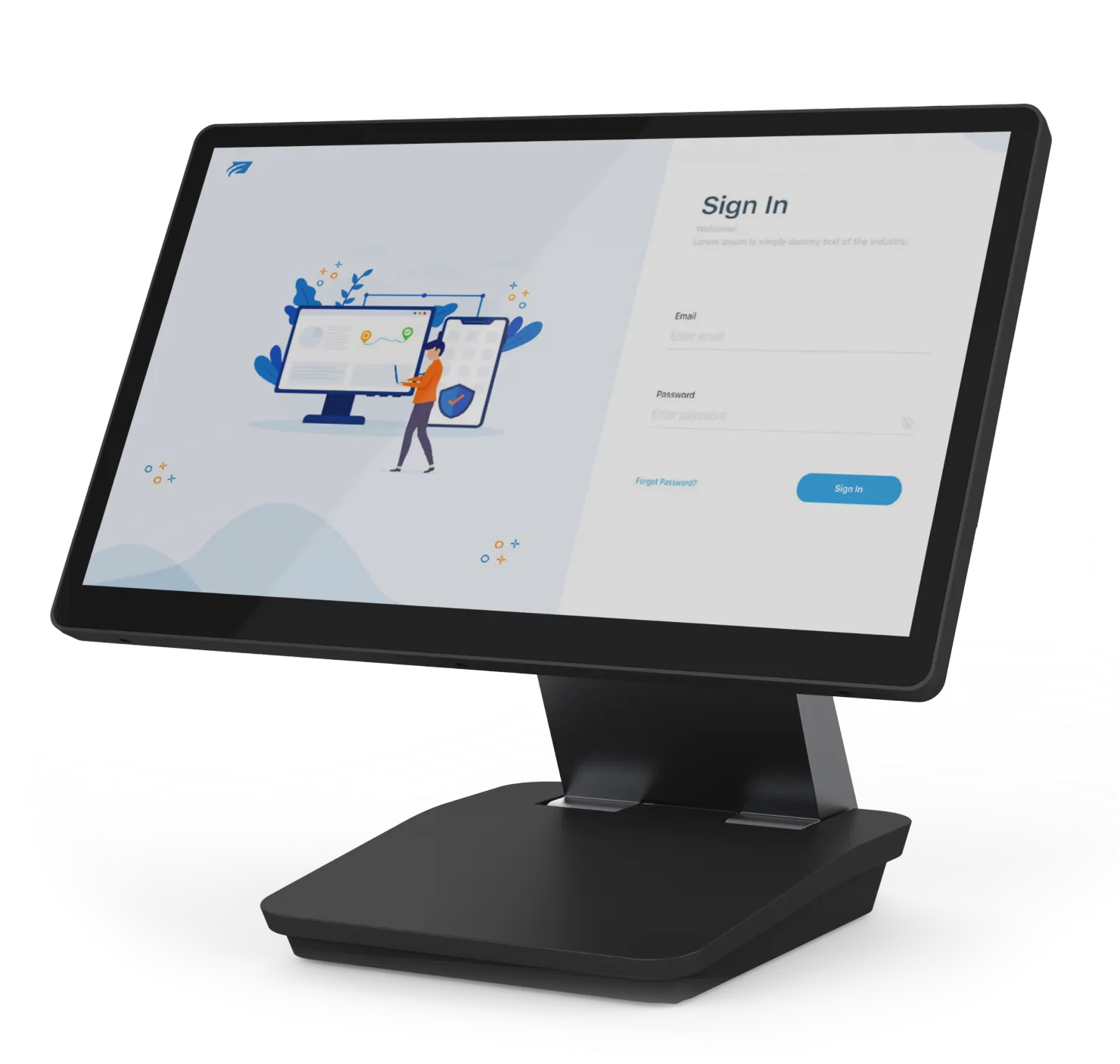
S3W single-screen layout
S3W / S3A
Windows 11 or Android 11 / 14
15-inch Full HD
15.6-inch upgrade configurations
Foldable metal body
Fully laminated screen and dual hinges
Build S3 Around Your Checkout
Start with the right platform
S3W starts with Intel N95, 8 GB RAM and 128 GB M.2 SATA SSD. S3A starts with RK3568, Android 11, 4 GB RAM and 32 GB eMMC.
Choose your display layout
Start with the single-screen terminal, add a customer screen to the 15-inch layout, or select a 15.6-inch upgrade configuration.
Connect your checkout equipment
Gigabit Ethernet, dual-band Wi-Fi, Bluetooth 4.2 and common POS interfaces support counter planning. Powered USB expansion is available as a configuration option.
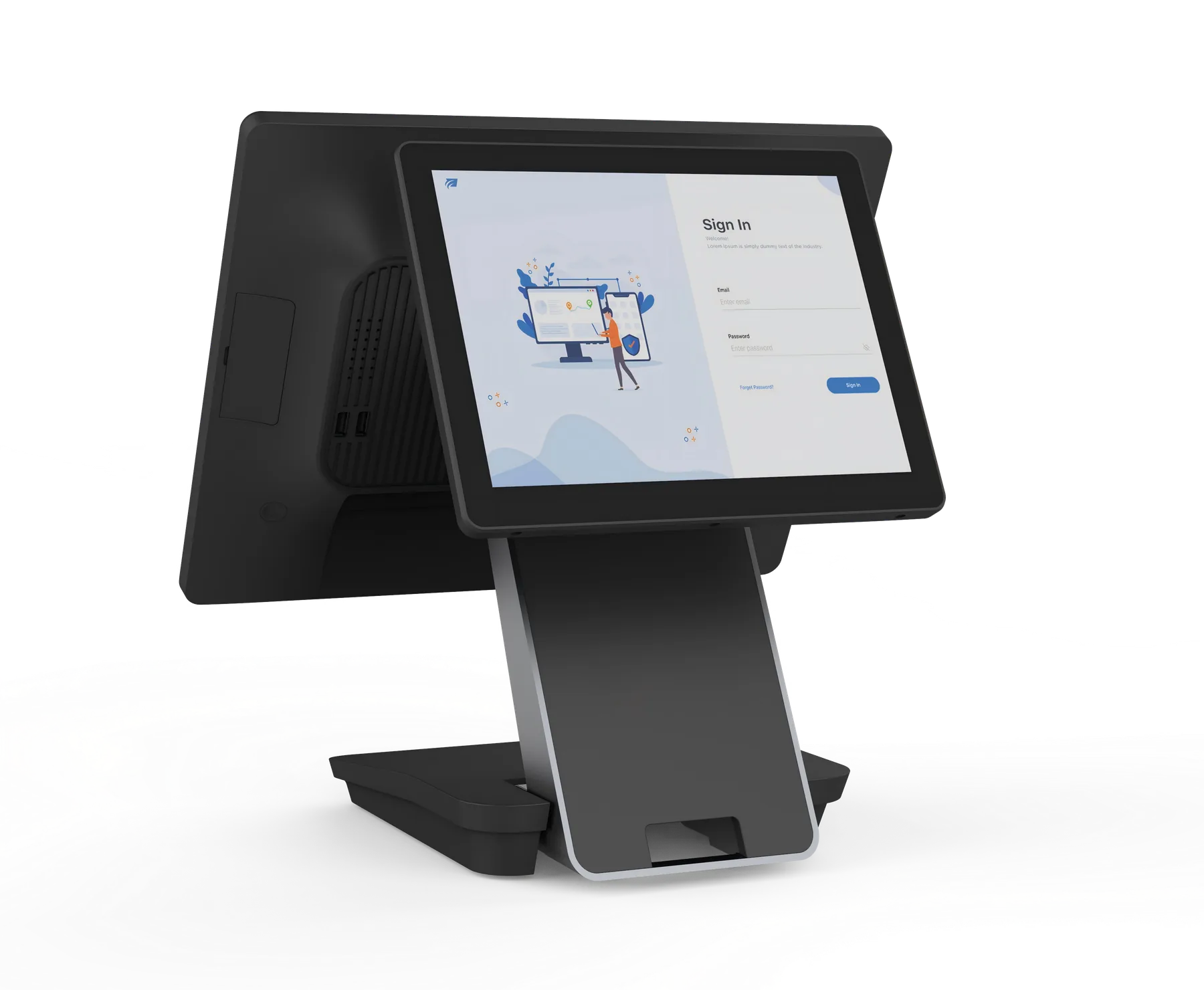
Choose the Operator and Customer Views
A customer display gives your application a separate customer-facing view. The 15-inch configuration offers a 9.7-inch or 15-inch customer screen. The 15.6-inch upgrade layout offers 10.1-inch or 15.6-inch customer displays.
S3 Specifications & Configuration Options
Start with the standard configuration below, then choose the upgrades for your application and counter.
Configuration
Specifications & Options
S3W standard
Windows 11; Intel N95; 8 GB RAM; 128 GB M.2 SATA SSD; 15-inch 1920 × 1080 capacitive touchscreen; single-screen configuration.
S3A standard
Android 11; RK3568; 4 GB RAM; 32 GB eMMC; 15-inch 1920 × 1080 capacitive touchscreen; single-screen configuration.
15-inch Windows upgrades
Core i3-1215U / i5-1235U; 16 / 32 / 64 GB RAM; 256 / 512 GB storage; optional 9.7-inch or 15-inch customer display.
15-inch Android upgrades
RK3576 with Android 14; 8 / 16 GB RAM; 64 / 128 / 256 GB storage; optional 9.7-inch or 15-inch customer display.
15.6-inch Windows upgrade
Core i3-1215U / i5-1235U; 16 / 32 GB RAM; 256 / 512 GB storage; 15.6-inch 1920 × 1080 main display; 10.1-inch or 15.6-inch customer-display choice.
15.6-inch Android upgrade
RK3576 with Android 14; 8 / 16 GB RAM; 64 / 128 / 256 GB storage; 15.6-inch 1920 × 1080 main display; 10.1-inch or 15.6-inch customer-display choice.
Network / interfaces
Gigabit Ethernet; dual-band Wi-Fi; Bluetooth 4.2; common POS interfaces.
Construction
Aluminium-alloy metal body; fully laminated screen; dual-hinge folding structure.
Powered USB option
12 V and 24 V powered USB expansion; include the peripheral power requirements in your configuration request.
Standard customer display
Customer display is an upgrade option; the standard S3A and S3W configurations are single-screen.
Plan Your S3 Counter Setup
Retail checkout
Select the operating system your application uses, then choose the customer screen, scanner and receipt-printer connections.
Restaurant counter
Choose a foldable POS layout and screen arrangement around staff order entry and customer-facing information.
Dealer rollout
Start with one defined sample configuration, then use the same platform and peripheral requirements for your batch quotation.
Questions About S3
How do S3A and S3W differ?
S3W runs Windows 11 on Intel hardware. S3A starts with RK3568 and Android 11, with an RK3576 / Android 14 upgrade. Select the platform supported by your POS application.
Is a customer display standard?
The standard configurations are single-screen. Choose a 9.7-inch or 15-inch customer screen for the 15-inch layout, or a 10.1-inch or 15.6-inch screen for the 15.6-inch upgrade layout.
Can I choose the 15.6-inch version?
Yes. The Windows upgrade uses Core i3-1215U or i5-1235U with 16 / 32 GB RAM. The Android upgrade uses RK3576 with Android 14 and 8 / 16 GB RAM. Include the customer-display size and storage choice with your enquiry.
How do I request a sample or quote?
Send S3A or S3W, main-screen size, customer-display choice, processor, memory, storage, peripheral requirements, quantity and destination. Include any logo or packaging request.
Get Your S3 Configuration & Quote
Send S3A or S3W, main-screen size and configuration, required peripherals, quantity and destination. Include any sample, logo or packaging request.