
POS Hardware configuration checklist Before Packing
A desktop POS Configuration can look ready in a supplier’s photo.
The real delay often starts with details that were never written down clearly.
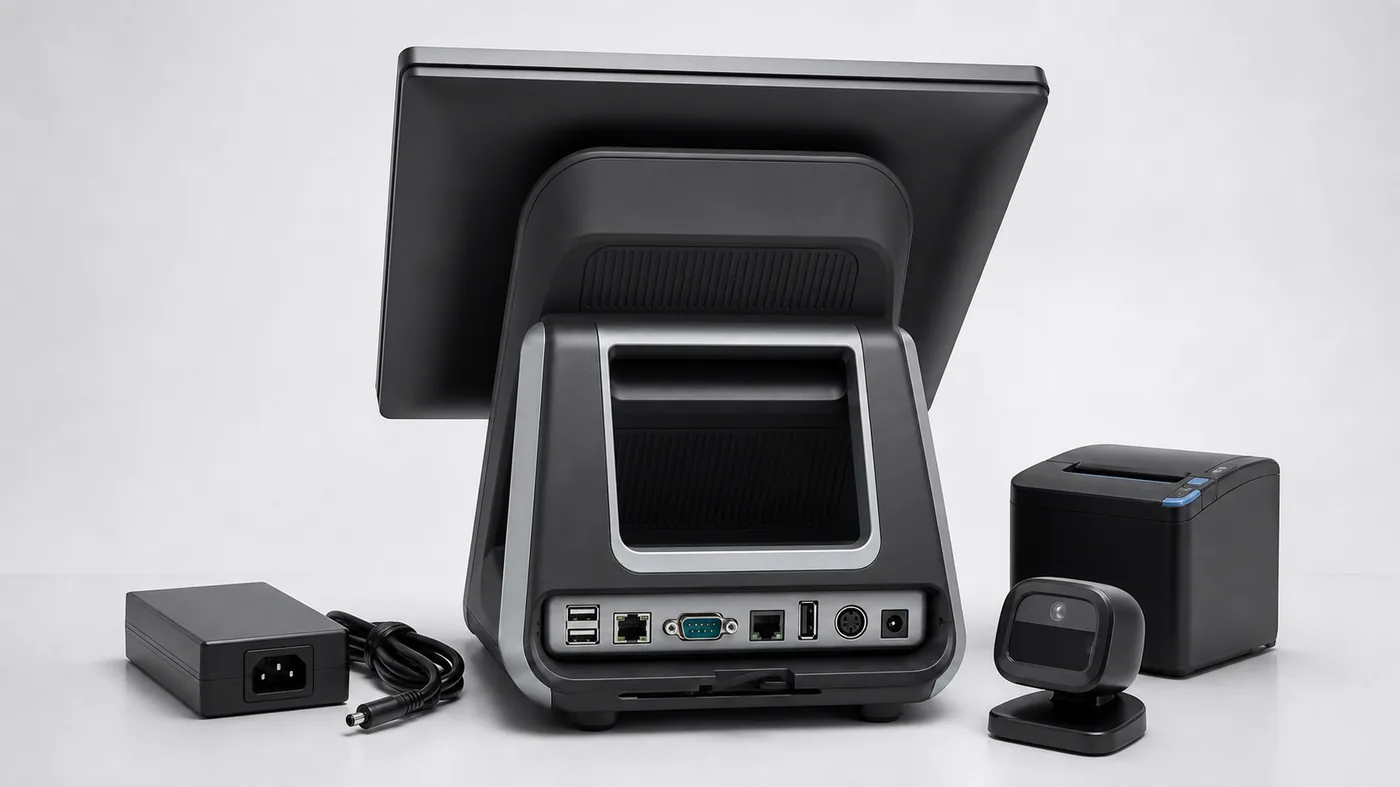
For POS dealers, VARs, retail technology providers, and selected software teams, a Configuration is not only a machine to receive. It is an early practical check of the hardware configuration, peripheral setup, supplier response, packaging details, and the next project step.
If these details are not confirmed before packing, the project may not stop completely. But it can slow down through small rounds of back-and-forth messages.
Common Configuration questions
- Which motherboard version is this?
- Does this unit include the printer?
- Are the COM ports the same as the quotation?
- Which power plug will be packed?
- Can we get a photo before shipment?
That is why a simple POS hardware configuration checklist is useful before the supplier packs the machine. If you are still comparing models, you can also review Tesp’s POS terminal sourcing support for typical Windows and Android POS terminal requirements.
Why POS Hardware Configurations Slow Down
Configuration delays are not always caused by one major production problem. More often, the supplier has received a general request but not a complete configuration note.
The buyer may care about peripheral behavior, port layout, printer setup, scanner connection, cash drawer trigger, or operating-system version. The supplier may focus first on model availability, price, and packing schedule. Both sides are working on the same Configuration, but not always from the same checklist.
For a desktop POS Configuration or small order, this gap matters. One missing port detail or one unclear accessory option can create several more days of messages before the unit is packed.
What to Confirm Before a POS Terminal Configuration Is Packed
The checklist does not need to be complicated. It needs to be specific enough for the supplier, buyer, and supplier contact to review the same details.
Before packing
Confirm what the Configuration really includes.
Before shipment
Ask for visible details, not only catalogue photos.
1. Motherboard Version and Core Configuration
The product name alone is not enough. The same desktop POS appearance can be offered with different motherboard versions, CPU platforms, RAM, storage, operating-system options, and I/O layouts.
Before packing, confirm:
- Motherboard version or configuration code
- CPU platform, RAM, and storage
- Android or Windows version
- Touchscreen size and secondary-display option, if needed
This is particularly relevant when a buyer will use the unit for early software installation, peripheral checks, or a Order deployment.
2. Printer, Scanner, and Peripheral Options
Many POS hardware discussions become unclear around built-in and optional peripherals. A terminal may be quoted as a base unit while the printer, scanner, customer display, MSR, NFC module, or cash-drawer interface is optional.
Before packing, confirm:
- Whether the printer is built in, external, or not included
- Whether the scanner module and customer display are included
- Whether the cash-drawer port is included and the trigger option used
- Which accessories and cables are included
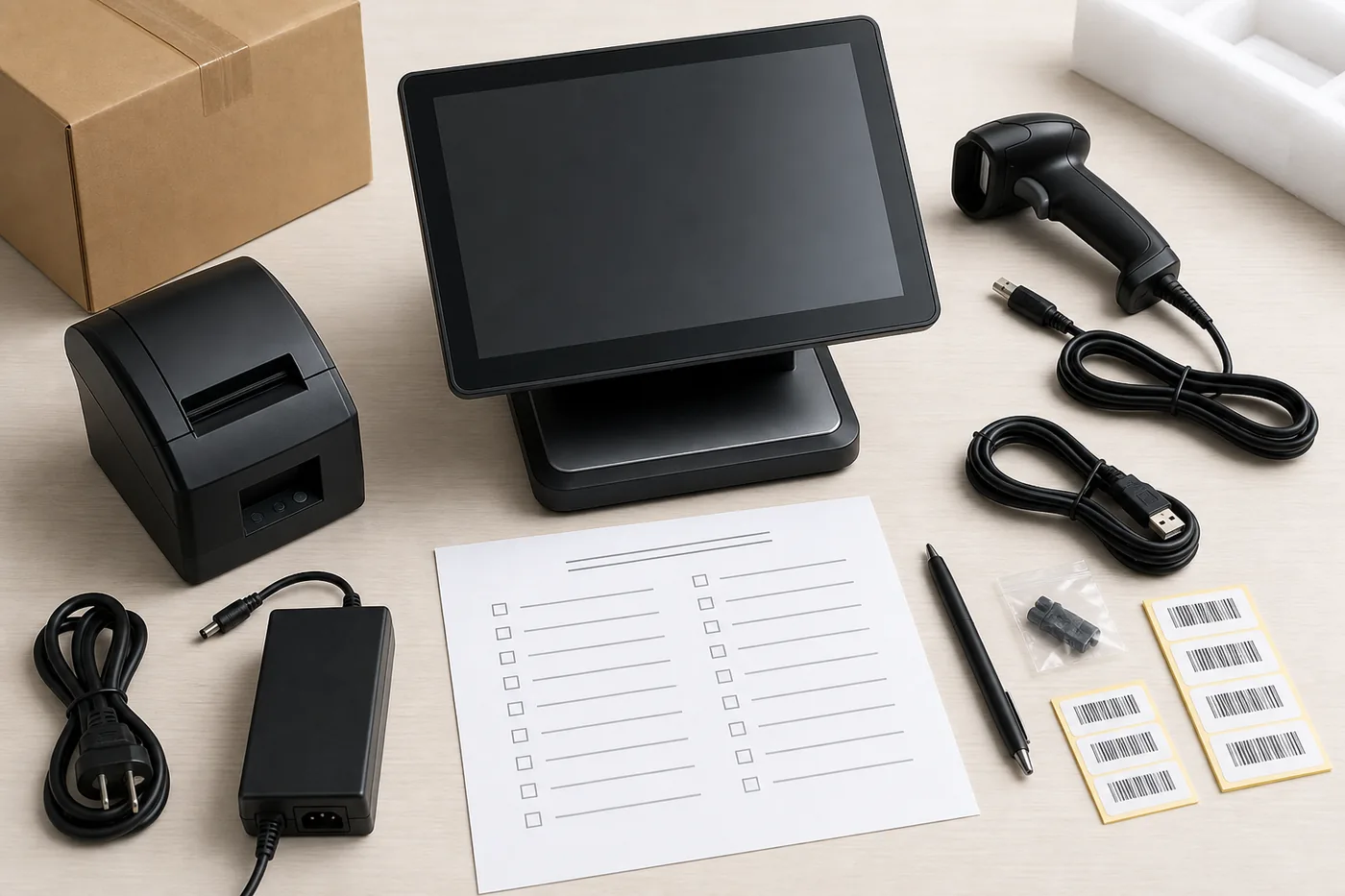
3. Port Layout for the Customer’s Peripherals
Port layout is one of the easiest details to overlook in a catalogue image. The real discussion is often on the rear or bottom side: USB, RS232, RJ11 or RJ12 cash-drawer port, LAN, audio, HDMI, DC input, and cable exit space.
Before packing, confirm:
- Number and type of USB ports
- RS232 or COM port availability
- RJ11 or RJ12 cash-drawer interface
- LAN and Wi-Fi options
- Power-input position and cable-routing space
For retail stores, restaurants, and grocery counters, this affects how the POS terminal connects with printers, scanners, cash drawers, scales, pin pads, and other peripherals.
4. Power Plug, Label, and Packaging
The Configuration is also an early check of packing details. A wrong power plug or unclear label may look like a small issue for one unit, but it can repeat across a order or order.
Before packing, confirm:
- Destination country or region and power-plug type
- Adapter label and voltage information
- Product-label position and carton shipping mark
- Accessory list inside the box
- Whether the supplier can share a packing photo
If the project includes a logo, label, packaging, or other agreed OEM details, clarify them before the quotation or order batch moves forward. For related projects, see Tesp’s OEM and custom POS hardware coordination.
5. Photos and Basic Check Items Before Shipment
A short photo set can prevent a long message thread later. The purpose is not to turn a quotation or order into a formal inspection process; it is to make obvious details visible before the machine leaves the supplier.
Useful photos can include:
- Front view of the POS terminal
- Rear or bottom view showing ports
- Printer or scanner area
- Accessories and power adapter
- Label and carton view
- Simple power-on photo, where practical
This Is a order preparation Issue
The machine matters, but the communication around the machine matters too. The first Configuration is usually part of a process: compare options, install software where relevant, check peripherals, collect feedback, adjust configuration, and decide whether a order should move forward.
A clear checklist helps the supplier understand what to prepare and helps the buyer know what has already been confirmed.
This is where supplier communication and order preparation can be useful. Tesp provides POS hardware sourcing and order preparation support for overseas buyers that need practical supplier communication around Configurations and order projects.
A Practical Configuration Request Format
When asking for a desktop POS Configuration, a short request like this is usually easier for suppliers to follow:
Product type: Desktop POS terminal
OS requirement: Android / Windows
Motherboard or CPU requirement:
RAM / storage:
Screen size:
Printer: Yes / No / External
Scanner: Yes / No
Required ports: USB / RS232 / RJ11 / LAN / other
Peripherals to connect:
Power plug type:
Destination country:
Label or packaging requirement:
Photos needed before shipment:
Target required quantity:
order plan, if any:
How Tesp can help
POS hardware Configuration coordination from Qingdao
Tesp is a Qingdao-based, independent supplier POS hardware partner for Configurations and order projects. Where appropriate, Tesp can help coordinate supplier communication, agreed Configuration details, port and accessory questions, labels, packaging details, and basic pre-shipment photo requests.
FAQ
What should a buyer confirm before ordering a desktop POS Configuration?
Confirm the motherboard version, operating system, RAM and storage, port layout, printer or scanner options, cash-drawer interface, power plug, accessories, label and packaging details, and the photos needed before shipment.
Why do POS hardware Configurations get delayed?
Configurations often slow down because configuration details are not written clearly before packing. The supplier may understand the model name while the buyer needs specific information about ports, peripherals, OS version, labels, accessories, and packaging.
Is a supplier catalogue enough for POS Configuration confirmation?
A catalogue is useful for early comparison, but it is usually not enough for Configuration preparation. A usable Configuration request includes configuration, port layout, peripheral needs, packing details, and photo requirements.
Can Tesp help coordinate POS hardware Configurations from China?
Where appropriate, Tesp can help overseas buyers coordinate supplier communication, agreed Configuration details, and order follow-up with supplier suppliers. Final software compatibility, local compliance, and import decisions remain with the buyer and relevant local specialists.