
Fanless POS Terminal for Retail: Thermal Management Checklist Before a Quote
A quiet POS terminal is not automatically a cool or suitable POS terminal.
Before asking for a fanless POS terminal for retail, define the workload, air gap, counter position and acceptance test that the supplier must answer.
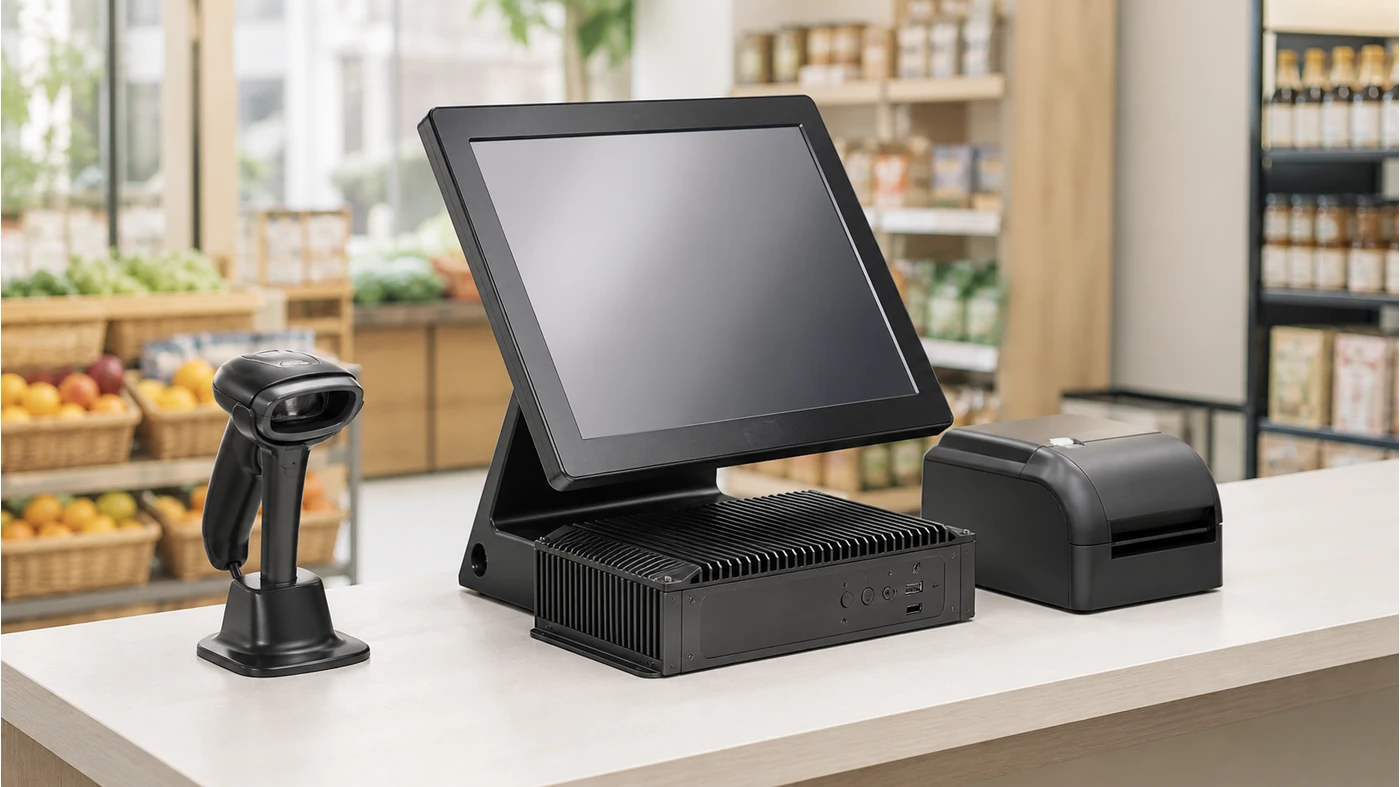
Retail buyers often begin with the phrase fanless POS terminal for retail because they want less noise, less dust intake or fewer moving parts. Those are reasonable goals, but “fanless” describes one cooling method, not the whole deployment result. A terminal can still run hot if the rear vents or metal fins are blocked by a wall, a shelf, a cable bundle or a tight counter cut-out.
The right purchase question is therefore not “Does this POS have a fan?” It is “Can this exact processor, enclosure, operating system and peripheral load run in our actual checkout position without throttling or service problems?” That distinction is the core of a useful POS thermal management checklist.
What the manual confirms
S3A uses Android 11 with RK3568, 4GB memory and 32GB eMMC as standard; Android 14/RK3576 and higher memory or storage are optional. S3W uses Windows 11 with Intel N95, 8GB memory and a 128GB M.2 SATA SSD as standard.
What still needs a quote answer
The manual lists a full-metal aluminum-alloy chassis, 15-inch 1920×1080 capacitive display and foldable dual-hinge form, but it does not identify every cooling implementation, ambient-temperature limit or long-run test result.
Why fanless and active cooling are different buying decisions
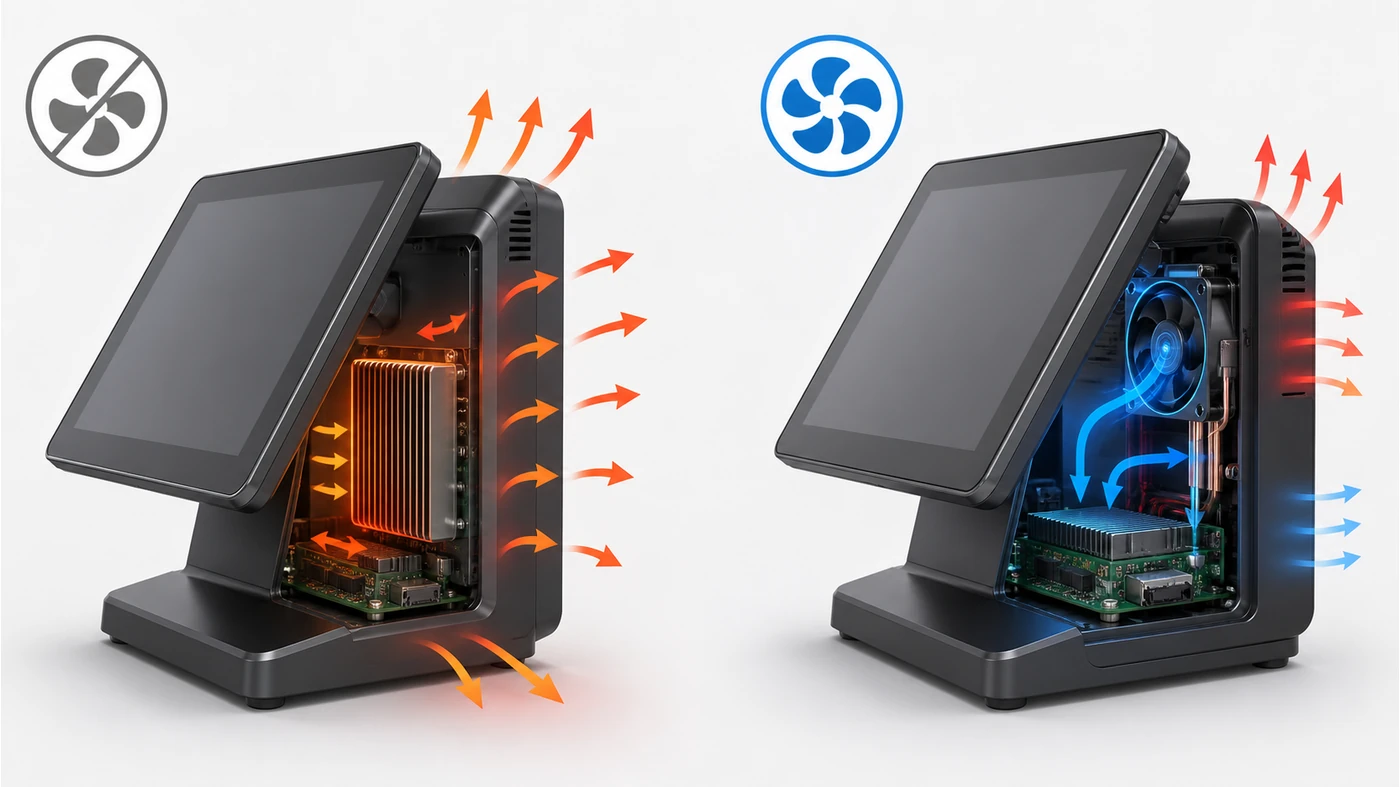
A passive cooling design moves heat through thermal interfaces and the chassis into surrounding air. An active-cooling design uses a fan to move air across heat-producing parts. The choice affects noise, dust exposure, enclosure layout and maintenance, but it does not remove the need to check processor load or clearance. A checkout application with a scanner, printer, payment device, customer display and background services can create a different thermal profile from a simple menu screen.
This is where the common fanless vs active cooling POS comparison becomes practical. A fanless candidate may make more sense in a quiet boutique or dusty convenience counter, while an actively cooled terminal may be reasonable when the processor choice and airflow path are already validated. The supplier should explain the trade-off for the selected configuration instead of using “fanless” as a standalone quality claim.
Five thermal checks before requesting samples
1Match the workload to the processor option
Start with the software workload, not the preferred operating system. S3A standard configuration is Android 11/RK3568; it can be specified with RK3576, Android 14, 8GB or 16GB memory and larger storage. S3W standard configuration is Windows 11/Intel N95 with optional Core i3-1215U or i5-1235U and higher memory or storage. These are configuration choices, not proof of cooling performance.
- List the POS application, browser components, device services and background agents.
- State whether the station will drive a second display, scanner, printer or payment terminal at the same time.
- Ask which processor and memory option the supplier recommends for that workload and why.
Acceptance impact: the sample should run the real software image and normal peripheral sequence, not only remain powered on at the desktop.
2Measure the physical air path
A passive cooling surface needs surrounding air. Record the rear and side clearance available on the counter, whether the terminal sits against a backsplash, and whether the foldable hinge changes the orientation during use. Do not infer suitability from screen size alone.
- Send a side and rear photo of the intended counter position.
- Mark cable exits, wall distance, shelf height and any enclosed cabinet.
- Ask for the recommended clearance and whether the terminal may be installed in a recessed cut-out.
Acceptance impact: confirm that the final stand, hinge angle and cable routing do not cover cooling surfaces or make service access impossible.
3Separate environmental assumptions from evidence
Retail environments vary. A grocery checkout may have dust, flour, packaging debris or direct sunlight near a door; a boutique may care more about acoustic noise. These are reasons to ask for the intended operating range and cleaning instructions, not reasons to promise “dust-proof” operation.
- Describe temperature, humidity, dust, sunlight and daily operating hours.
- Ask whether the supplier has a standard thermal or burn-in procedure for the exact configuration.
- Request the test conditions and what the buyer is expected to observe.
Acceptance impact: record the difference between a supplier statement, a documented test and a project-specific test your software team still needs to run.
4Check peripherals and heat-producing accessories together
A terminal is not tested in isolation. The F1, for example, combines a 15.6-inch main display, a 15.6-inch customer display, a built-in barcode scanning platform and a 58mm thermal receipt printer. If that all-in-one form is compared with S3A or S3W, the software and thermal workload are not identical.
- List the printer, scanner, payment bracket, customer display and USB devices used in the pilot.
- Confirm whether the accessories are powered by the terminal or by separate adapters.
- Ask the supplier to identify any connector or module that changes the enclosure or airflow path.
Acceptance impact: test the complete station as it will be quoted, not a bare terminal followed by an assumption that the accessories will not matter.
5Define a repeatable long-run test
Thermal stability is a project test, not a marketing adjective. Agree on a repeatable sequence: boot, login, item search, barcode input, receipt print, payment handoff and idle return. If the buyer needs an eight-hour or multi-shift trial, state that before the sample is prepared.
- Record room conditions and the exact OS, processor, memory and storage.
- Run the same software build and peripheral sequence on every sample.
- Record abnormal slowdowns, application errors, unexpected restarts and physical hot spots.
Acceptance impact: a clean test record gives the VAR or ISV a defensible reason to accept, revise or reject the configuration.
When S3A, S3W or an all-in-one terminal should not be mixed
S3A and S3W share a 15-inch 1920×1080 display, metal-alloy chassis and foldable form, but the platform is different: Android 11/14 versus Windows 11. F1 adds a customer display, barcode scanning platform and built-in 58mm printer. These are not interchangeable samples when the purpose is to validate a software driver, a display profile or a thermal workload.
For a product-family comparison, start with POS terminal sourcing support and identify the intended operating system and peripheral bundle. If the layout is still uncertain, use the POS product selection service to compare the workflow before the quote is frozen.
Field note: A supplier can confirm that a chassis is designed for passive cooling, but the buyer still needs to confirm the exact processor, enclosure, clearance and real software load. Treat those as separate lines in the configuration record.
A practical fanless POS terminal request format
Project: [store type / number of lanes]
Primary workflow: [retail checkout / grocery / service counter]
Operating hours: [hours per day]
Environment: [temperature / dust / sunlight / counter position]
Preferred platform: [Android or Windows]
Candidate: [S3A / S3W / other]
Required peripherals: [scanner / printer / payment / customer display]
Cooling questions: [fanless or active / clearance / thermal test method]
Sample test: [software build / peripheral sequence / duration]
Open items: [supplier confirmations and acceptance owner]
If you have the product, configuration and quantity ready, you can share your sample requirements with Tesp. Tesp can help compare available POS hardware options and coordinate the quote-stage follow-up; your software team should still complete its own compatibility and deployment testing.
FAQ
Is every fanless POS terminal suitable for a dusty retail counter?
No. Fanless reduces one source of dust intake, but the chassis still needs usable heat-dissipation surfaces and adequate clearance. Ask for the exact enclosure, environment assumptions and a test method for the quoted configuration.
Should I choose S3A Android or S3W Windows for a thermal test?
Choose the platform required by the POS application first. S3A and S3W have different processors, memory/storage defaults and software environments, so a test on one platform should not be treated as proof for the other.
What should a POS thermal management checklist include?
Include workload, processor, enclosure, clearance, environment, peripherals, test duration and pass/fail observations. The checklist should identify which item is confirmed by the manual, which is a supplier statement and which still requires a buyer-side test.