
A self-checkout kiosk is a workflow, not just a large touchscreen. Before searching for a self checkout kiosk for sale, define the transaction steps, peripherals, space and software handoff.

Retailers, grocery operators and POS integrators often compare kiosks by screen size or appearance. A better comparison asks what the shopper must scan, pay for, print and complete without staff intervention.
For a retail or grocery project, the hardware list should follow the transaction exceptions as well as the normal scan-and-pay flow. Item recognition, payment handoff, receipt printing, assistance, age-restricted or weighted items and service access may affect the required modules and enclosure layout. Confirm the workflow before selecting a self-checkout kiosk format.
Define the transaction workflow
Scanning and item recognition
Confirm whether the workflow uses a barcode scanner, camera, scale or a combination. Scanner location, reading distance and cable routing affect the enclosure and counter layout.
Payment and receipt
Reserve space for the payment terminal and clarify receipt printing, paper access and customer display requirements. Payment certification and acquiring support remain local project responsibilities.
Exception handling
Ask how age checks, unexpected items, voids, assistance calls and staff overrides will work. The hardware should leave room for the required devices and service access.
Compare the hardware modules
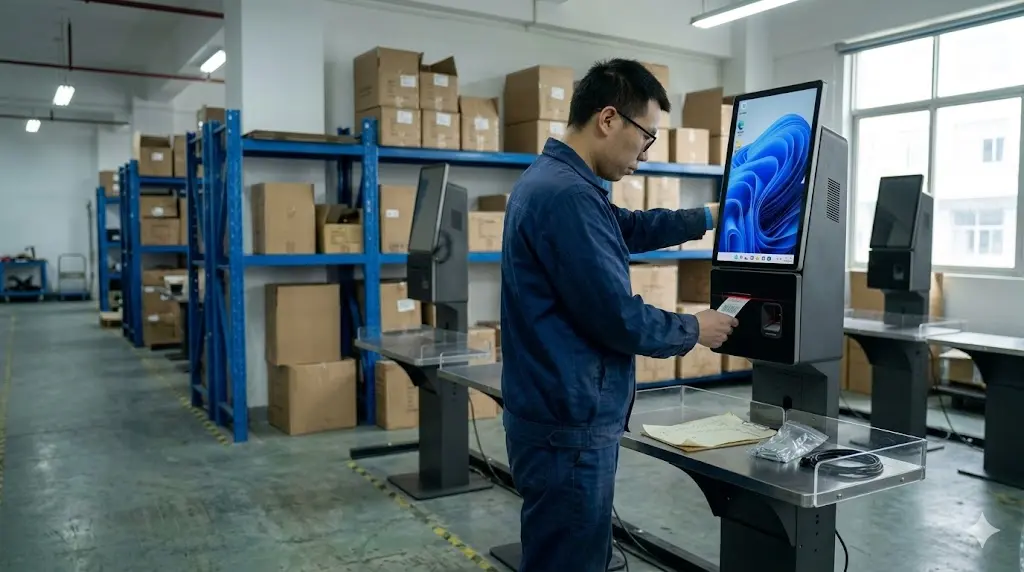
Record the operating system, processor, memory, storage, display size, touch type, brightness, network interfaces and power input. Then list optional barcode scanner, receipt printer, customer display, payment-terminal bracket and weight or bagging-area requirements. Do not assume that a product photo represents the quoted configuration.
Retail and grocery projects should not be treated as identical environments. A small grocery store may need a compact footprint, weighing or label-related workflow and easy staff assistance. A larger retail deployment may place more weight on queue position, repeated daily use, payment-device mounting, service access and a consistent hardware configuration across several locations. These are configuration questions, not automatic promises about software compatibility.
Confirm space, service access and payment handoff
Check the physical and operational constraints
Before approving a self checkout kiosk for sale, ask for overall dimensions, screen angle, cable exits, power input, printer access and service-door clearance. Confirm who will replenish receipt paper, handle scanner faults and assist shoppers when a transaction stops.
Payment terminals and local acquiring requirements should be treated as a separate integration check. The kiosk supplier can describe mounting space and interfaces, but the buyer’s payment and software teams must validate the final setup.
Separate confirmed facts from open integration questions
Ask for a quotation that marks each item as confirmed, optional or pending technical review. This gives the integrator a test list for the Configuration and a clear basis for comparing suppliers.
For a useful first request, state the store type, checkout workflow, expected quantity, available space, required scanner and printer, payment-device position, operating-system preference, destination market and any open software questions. A supplier can then separate available hardware options from items that the buyer’s software or compliance team still needs to confirm.
Prepare a clear inquiry
Use: grocery / retail / restaurant
Format: countertop / wall-mounted / floor-standing
Workflow: scan, pay, receipt, staff assistance
Modules: scanner, printer, payment terminal, display
Quantity: Configuration and estimated rollout
Destination: country and city
Open questions: dimensions, power, packaging, Configuration scope
Tesp helps overseas buyers compare retail self-checkout kiosk hardware options and organize configuration questions. If you have a target workflow or quantity, send it through the Tesp contact page. Final software integration, payment approval and local compliance should be confirmed by the buyer’s own technical and compliance teams.
For a structured POS configuration review, include the workflow, modules, quantity, destination and open integration questions in the same request.