
58mm vs 80mm POS Receipt Printer: Retail Paper Width and Counter Checklist
Paper width changes the receipt layout, the counter footprint and the way the printer integrates with the terminal.
Use this 58mm vs 80mm POS receipt printer checklist before choosing a compact built-in printer or an external wider printer.
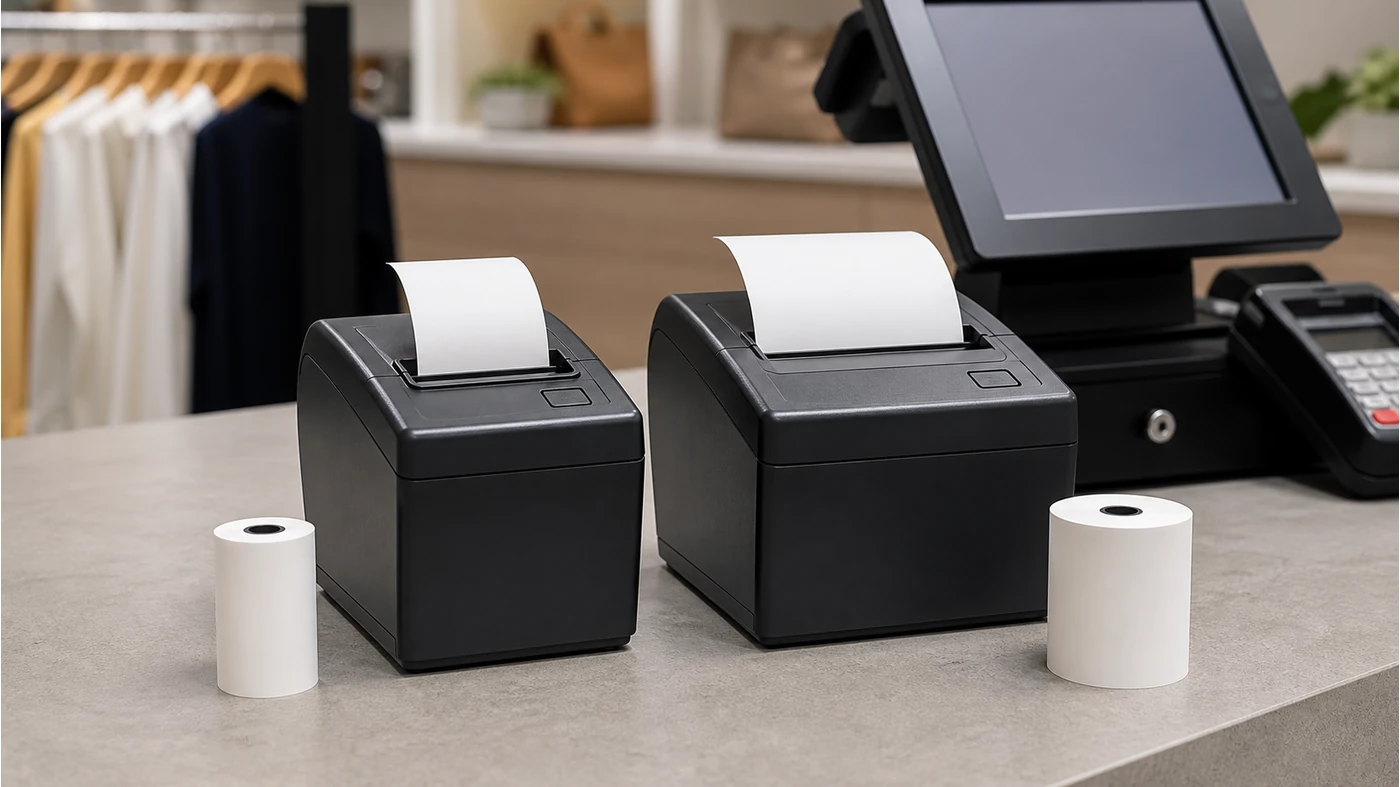
“58mm or 80mm?” sounds like a simple specification question. In practice, it affects how many characters fit on a line, whether item descriptions wrap, how often staff reload paper, where the printer sits and whether the POS software has a tested driver profile. A smaller roll may suit a tight counter, while a wider roll may make a long grocery or restaurant receipt easier to read.
The correct choice depends on the receipt content and the station design. It should not be made by looking at a product photograph or by ordering paper that merely appears to fit.
Confirmed Tesp 58mm references
F1 lists a built-in 58mm thermal receipt printer. H193A and H193W retail checkout scales also list a built-in 58mm receipt printer, with optional label-printer and scanning choices depending on the project.
What 80mm means here
The product manual does not list an 80mm built-in Tesp standard. An 80mm printer should therefore be treated as an external, separate or project-specific device requiring its own interface, driver, power and mounting confirmation.
What the 58mm vs 80mm comparison really changes
Competitor buying guides consistently connect paper width to the use case. 58mm is often used where space and portability matter; 80mm is common where receipts contain more item detail, tax lines, barcodes, promotions or return information. Neither width is universally better. The best answer is the one that fits the required line length and the physical checkout workflow.
There is also a hidden software issue: a printer can accept paper while still producing poor output if the POS template, character width, barcode size or auto-cut behavior has not been tested. A good retail receipt printer paper width decision therefore includes a real sample receipt, not only the roll diameter.
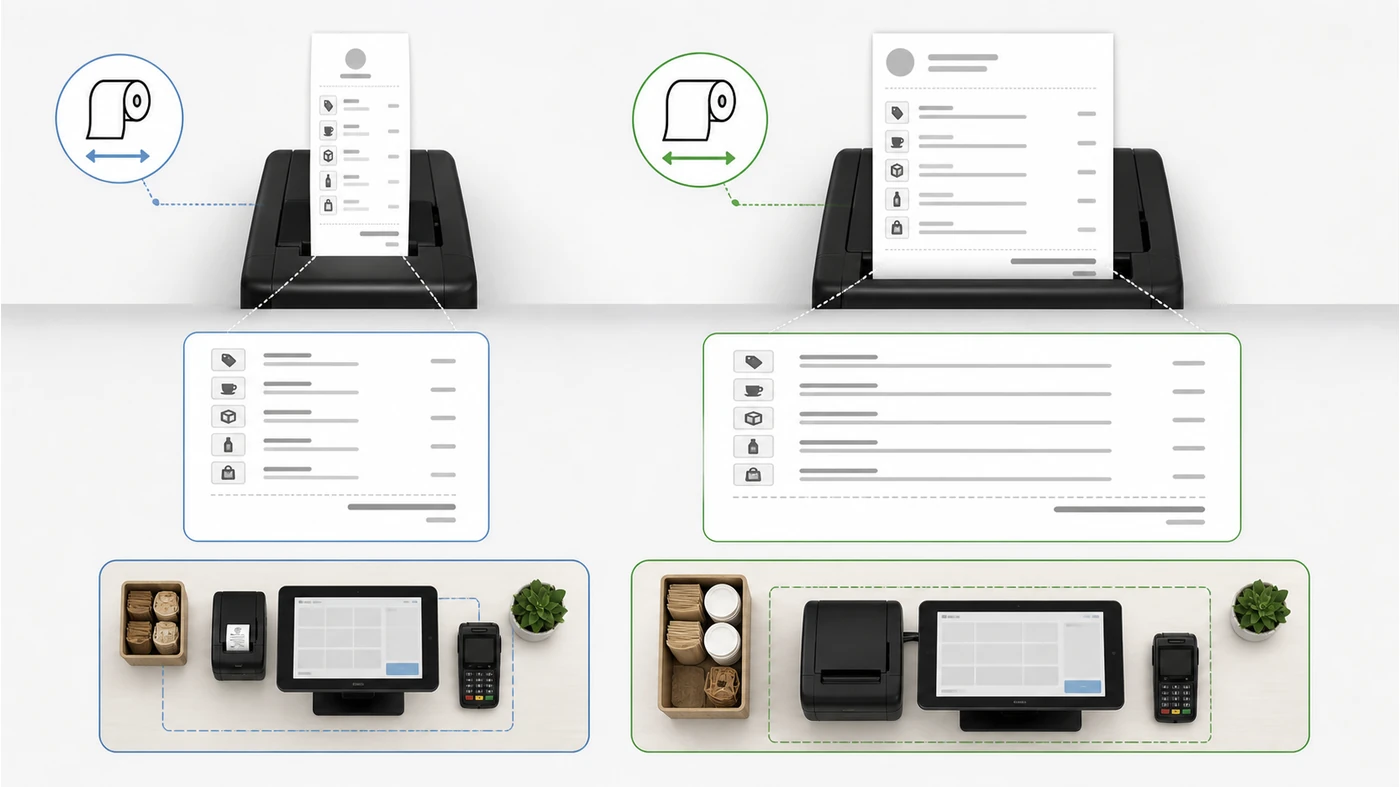
Five checks before selecting a POS printer roll size
1Map the receipt content and line length
Collect real receipts from the target POS software. Include the longest item name, modifiers, tax lines, discounts, loyalty information, QR or barcode area and return policy. A short sample receipt can hide wrapping problems.
- Mark the minimum readable font and the longest expected item description.
- Confirm whether the receipt needs a 2D code, logo or multi-language text.
- Ask the software team to render the same template on both widths where possible.
Acceptance impact: approve the width only when the full receipt remains readable without manual template changes that were not planned.
2Check paper roll size beyond the width
Width is only one part of the roll specification. Core diameter, outside roll diameter, paper thickness and loading direction affect whether the roll fits the printer compartment and how long it lasts.
- Record width, core, maximum roll diameter and paper type requested.
- Confirm whether the printer uses a fixed guide or an adjustable paper path.
- Ask for the correct paper specification for the exact printer model.
Acceptance impact: a roll that is the right width but too large in diameter can prevent the cover from closing or increase loading failures.
3Match the printer to the terminal form
F1 integrates a 58mm printer into an all-in-one terminal. H193A/H193W integrate 58mm receipt printing into a retail checkout scale. An external 80mm printer changes the counter footprint, cable route, adapter count and service position.
- Decide whether the printer must be inside the terminal or can sit separately.
- Measure the available counter depth and the staff’s paper-loading side.
- Record the required cable length and whether the printer needs a separate power adapter.
Acceptance impact: do not compare an integrated 58mm device with an external 80mm unit as if only the paper width changed.
4Confirm interface and software behavior
Ask which interface and driver profile the quoted printer uses. The product manual confirms the presence of built-in printing on the listed models, but it does not replace a project-specific print test for a separate printer.
- List the required interface: USB, serial, Ethernet or another confirmed option.
- Test print, cut, reprint, cancel and recovery after a paper-out event.
- Check whether the POS application sends the correct paper-width setting.
Acceptance impact: a successful operating-system test is not enough if the actual POS software cannot control print width or paper status.
5Plan consumables and service routines
Paper changes are part of the operating workflow. A compact 58mm station may use less counter space, but a high-volume lane may need more frequent roll changes. An 80mm roll may offer a wider layout but require more storage volume and a larger printer position.
- Estimate rolls per shift from real transaction volume, not a catalogue example.
- Define who stocks, loads and checks paper at each site.
- Include a paper-out and printer-recovery step in staff training.
Acceptance impact: choose the width that the site can keep supplied and maintain without slowing the checkout line.
When F1 or H193 should stay with 58mm
F1 is designed around an integrated 58mm printer and a customer display, while H193A/H193W combine 58mm printing with a weighing workflow. If the project needs a compact, unified station and the receipt template fits the available line width, moving to an external 80mm printer may add complexity without improving the customer outcome.
If a grocery project needs weighing and label printing, start with the POS weighing scale range. For a conventional counter terminal, compare the POS terminal range and document the printer separately in a POS configuration review.
Field note: The right paper width is the one that keeps the actual receipt readable and the counter maintainable. It is not automatically the widest roll or the cheapest roll.
A practical receipt-printer request format
Project: [retail / grocery / restaurant / kiosk]
Terminal or scale: [F1 / H193A / H193W / external terminal]
Preferred printer: [built-in 58mm / external 58mm / external 80mm]
Receipt content: [items / tax / QR or barcode / multilingual text]
Paper requirement: [width / core / maximum roll diameter]
Interface: [USB / serial / Ethernet / to be confirmed]
Mounting and power: [integrated / counter position / adapter location]
Software tests: [print / cut / paper-out / recovery / template width]
Consumables plan: [rolls per shift / stock owner]
Open items: [supplier and software-team confirmations]
When you know the required product, configuration and quantity, you can share your sample requirements with Tesp. Tesp can help compare available printer and terminal options, while the buyer’s software team should approve the final print template.
FAQ
Is 80mm always better for a retail receipt printer?
No. 80mm gives more line width, but it also needs a larger printer and counter position. A 58mm printer can be a better fit when the receipt is short, the station is compact or the printer is integrated into a terminal or scale.
Does F1 support an 80mm built-in printer?
The current product manual lists a built-in 58mm thermal receipt printer for F1. An 80mm option should be treated as a separate project request and confirmed for enclosure, interface, power and software support rather than assumed.
What should I measure before ordering POS receipt paper?
Confirm the paper width, core size, maximum roll diameter, paper thickness and loading direction for the exact printer. Also test the real receipt template so that item lines, tax, codes and return information remain readable.