
Barcode Label Printing Scale Integration: What Grocery POS Buyers Should Confirm
A weighing scale can show the correct weight and still produce the wrong POS result.
The buyer must confirm item identification, price calculation, label format, printer behavior and the handoff from scale to checkout.
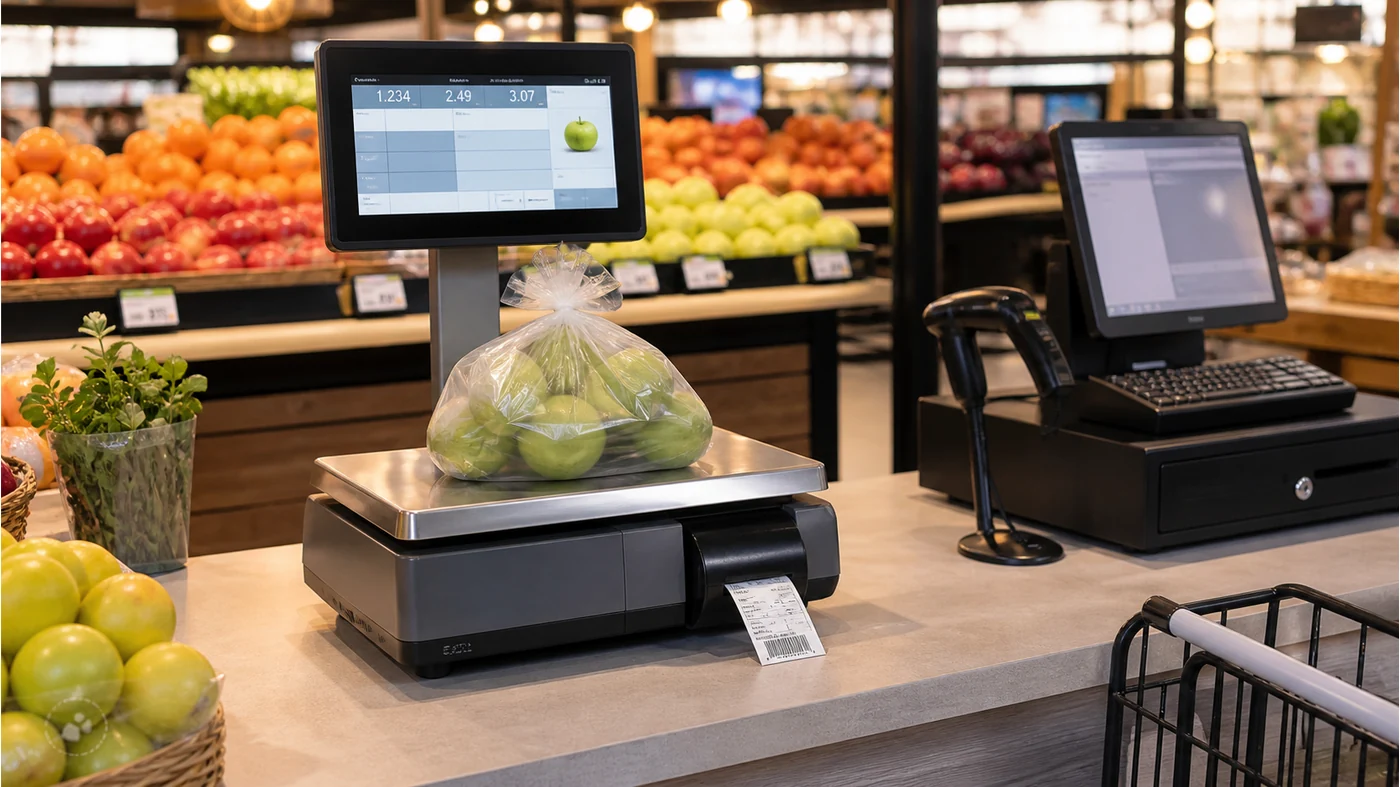
A grocery barcode label printing scale is not simply a larger POS peripheral. It may identify a variable-weight item, calculate a price, print a barcode label and send data that the checkout terminal must interpret consistently. If any part of that chain is unclear, the store may see correct weight data but incorrect pricing or unreadable labels.
This barcode label printing scale integration guide is for grocery POS software companies, distributors and retail integrators preparing a sample or pilot. It focuses on the questions that should be answered before a price computing scale for grocery POS is selected.
Scale-side questions
What is weighed, how is the item identified, and what label information is printed?
POS-side questions
How does the terminal receive the item code, price and weight, and what happens when data is rejected?
Why general grocery POS lists are not enough
A normal grocery checkout may use a scanner, printer, cash drawer and terminal. A weighing workflow adds product master data, tare assumptions, label templates and a rule for variable-weight items. The grocery POS and weighing solution should therefore be reviewed as a data flow, not just a product bundle.
Five checks for a weighing scale POS integration
1. Define the item-identification method
Confirm whether the operator selects a PLU, scans a product code, enters a code manually or uses a software lookup. Do not assume that two scales with similar displays use the same item workflow.
- PLU or item-code source
- Barcode symbology printed on the label
- Variable-weight and fixed-price item rules
- Fallback when an item is missing
2. Define the label fields
The retail scale barcode label printer may need item name, weight, unit price, total price, date, lot or a barcode payload. The final label should be reviewed at the intended size, not only as a software mockup.
- Required human-readable fields
- Barcode data structure
- Label width, paper and adhesive
- Date, lot or shelf-life fields if applicable
3. Confirm the data handoff to POS
Ask how the scale sends the result: keyboard input, serial data, Ethernet, a vendor protocol or another confirmed interface. The POS team should test both a successful transaction and an invalid or interrupted transmission.
- Interface and protocol assumption
- Decimal and unit handling
- Duplicate-scan behavior
- Offline and reconnect behavior
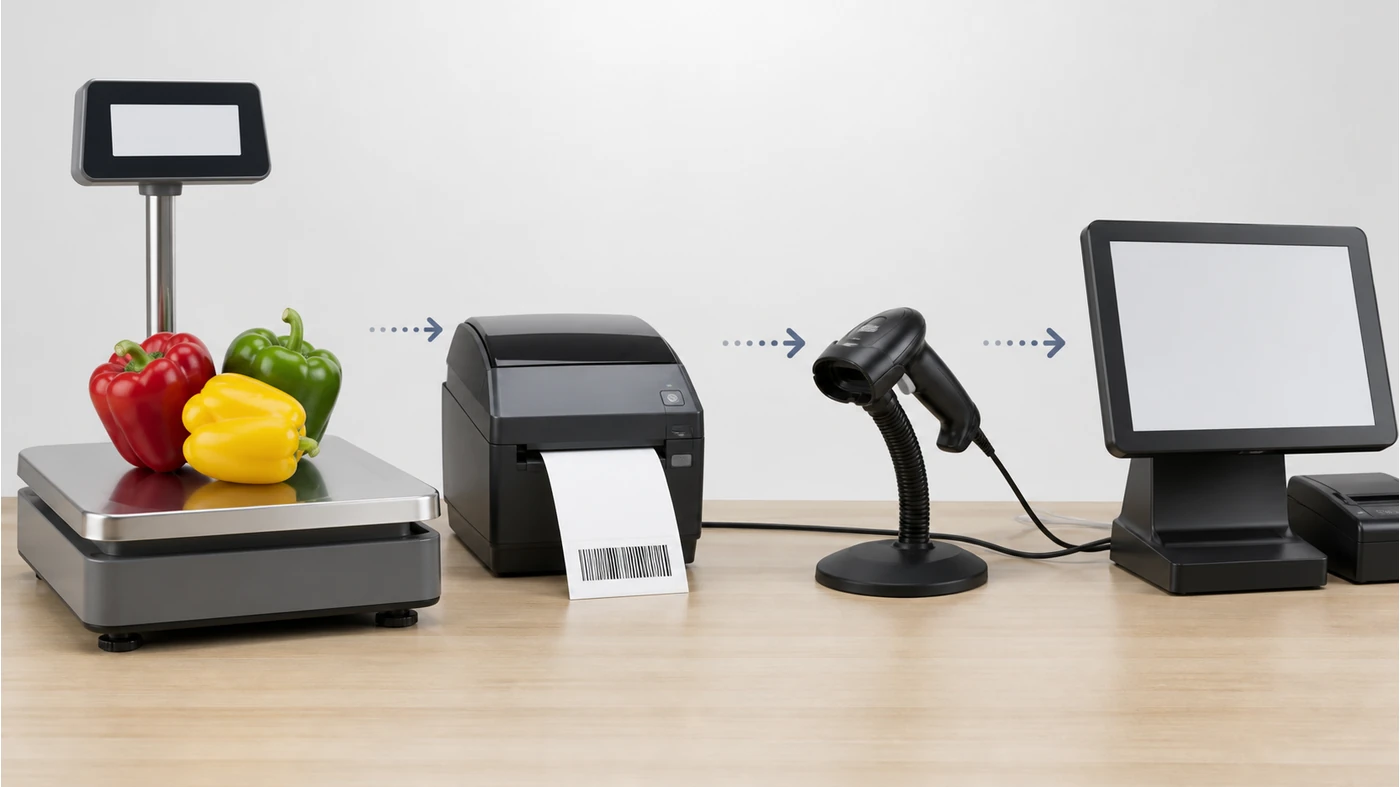
4. Test the physical workflow
Place the scale where staff can load products without blocking the terminal or printer. Confirm the weighing pan, display angle, label exit and cleaning access. A correct data protocol does not solve a poor counter layout.
- Product placement and operator reach
- Display visibility and pan size
- Label collection and reprint access
- Cleaning and service clearance
5. Separate confirmed facts from open questions
Record the scale model, supported label formats and interfaces only when supported by the product manual or supplier confirmation. Mark certification, local metrology and software compatibility as separate buyer-side checks rather than implied features.
- Confirmed scale and printer parameters
- Optional label formats or accessories
- Software test owner
- Local compliance questions for the buyer to verify
For a hardware starting point, compare the H193 POS weighing and label printing scales. The product page brings together Android and Windows configurations, weighing specifications, receipt printing and label-printing options for your grocery workflow.
How to request the right grocery scale quote
Start with the item and label workflow, then link to the POS weighing scales range. If the project also needs terminals, scanners and printers, compare the complete POS hardware scope instead of asking for a scale price in isolation.
Tesp can help organize model options, label requirements and quantity inputs for a quotation. The software and local compliance teams should confirm final integration and market requirements. For a structured review, request a configuration review or send the grocery POS requirements.
Copy-ready scale integration brief
Product category and item workflow:
Scale use: weighed / fixed-price / both:
PLU or item-code source:
Required label fields and barcode type:
Label size and paper:
POS interface and data format:
Printer / network / power requirements:
Sample test cases and acceptance owner:
Quantity, destination and local requirements:
FAQ
What is the difference between a weighing scale and a label printing scale?
A weighing scale measures weight, while a label printing scale combines weighing with item, price and label output functions. The correct choice depends on how the grocery POS identifies and prices variable-weight items.
Can every grocery POS accept a scale barcode?
No. The barcode payload, item master rules and scanner or software handling must be tested together. Confirm the actual data format before treating the label as compatible.
Should the scale be quoted with the POS terminal?
Usually the quote should show the scale and terminal as separate line items, then show the tested configuration as a bundle. This makes substitutions and quantity changes easier to control.