
Grocery POS Hardware Setup: POS Terminal, Self-Checkout and Label Printing Scale
A grocery checkout setup is a connected workflow: staffed checkout, self-service and weighing or labeling can each have different hardware requirements. Define the operation before selecting a device.
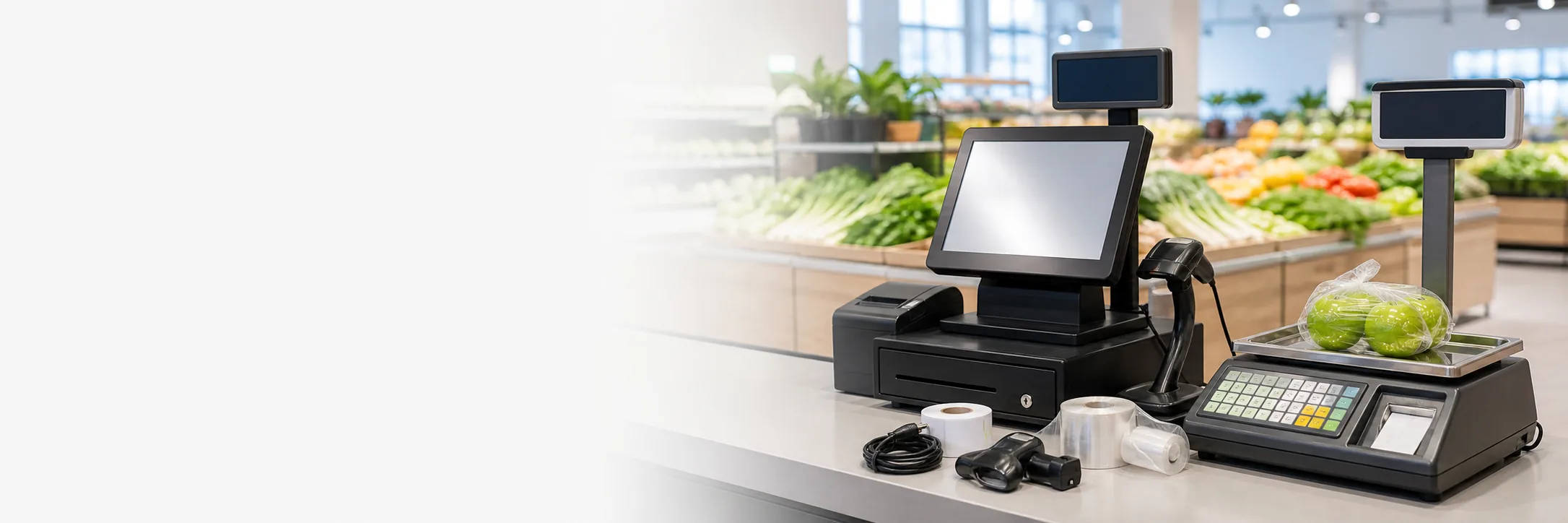
Buyers searching for grocery POS hardware or a price computing scale with printer are often solving more than one problem. The equipment must fit the counter, item flow, software, labeling process and service routine.
Start with the store workflow
Staffed checkout
Specify the POS terminal, customer display, scanner, cash drawer and receipt printer. Note the counter depth and the ports needed for each peripheral.
Self-service checkout
Define scanning, payment, receipt printing, assistance and exception handling. A kiosk quote should state which modules are included and how they are positioned.
Weighing and labeling
Confirm weighing range, display, label or receipt printing, connectivity and the intended software workflow. Local metrology, labeling and retail rules must be checked by the buyer.
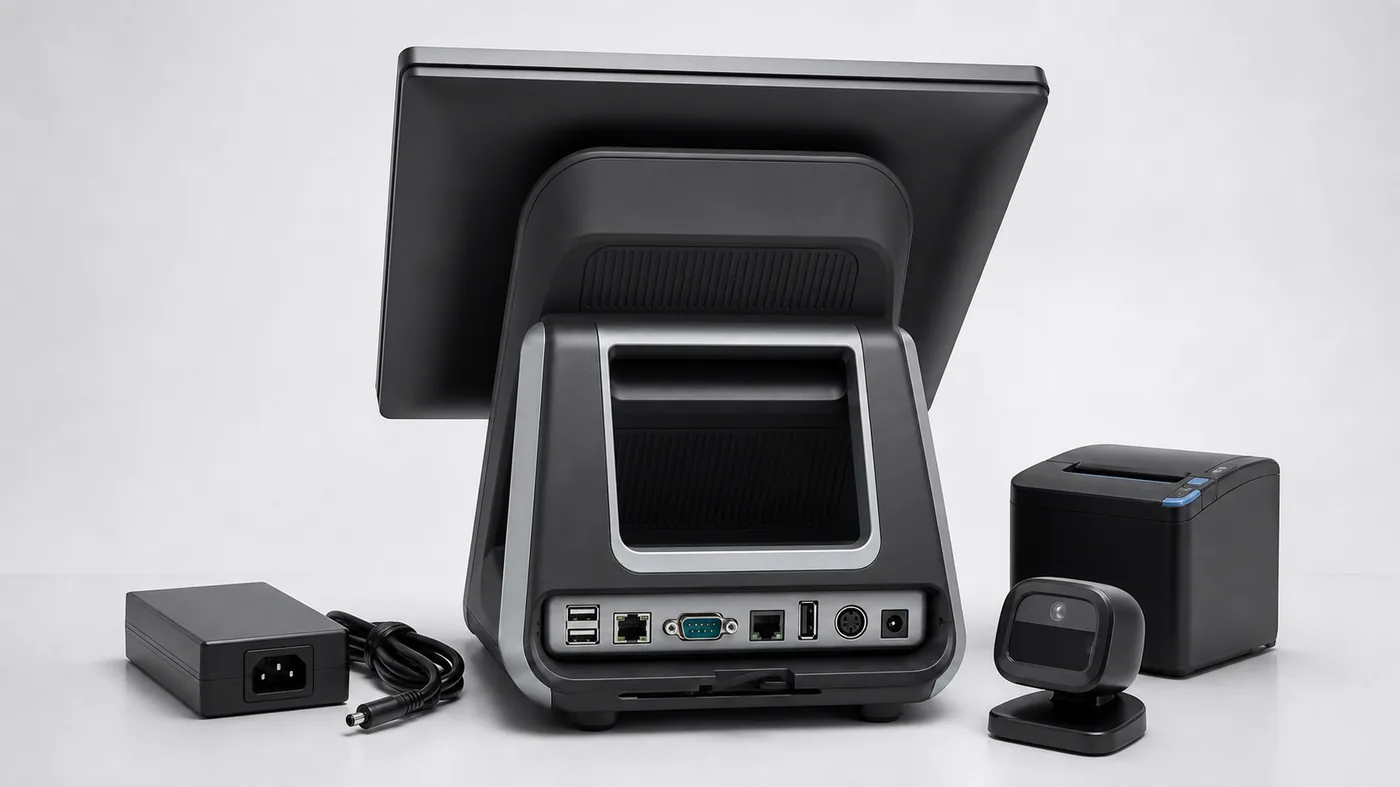
Confirm the interface between checkout and weighing
Separate scale capability from software responsibility
For a price computing scale with printer, confirm weighing range, display behavior, label or receipt format, printer access, communication method and power requirements. Ask whether the model sends weight and price data to the POS system or operates as a separate station.
Local metrology, labeling, payment and retail rules can vary by market. Keep those checks separate from the hardware quotation so a product option is not mistaken for regulatory approval.
Use the Order to validate the grocery workflow
A Order should test staffed checkout, self-service, weighing, printing, scanner use and exception handling together when those steps share data. Record the exact model, software version, accessories and packaging used in the test so the rollout quote remains comparable.
Build a Grocery Hardware Decision Matrix
A grocery POS hardware request becomes easier to compare when each workflow has its own row. For staffed checkout, list the POS terminal, scanner, cash drawer, customer display and receipt printer. For self-service, list the kiosk enclosure, scanner, payment position, receipt printer, assistance process and optional bagging or weighing module. For weighing and labeling, list capacity, division, display, PLU or barcode workflow, label size, printer and communication method.
Use the matrix to separate shared requirements from category-specific requirements. The same operating system or network condition may apply to several stations, while scale capacity and label format may apply only to the weighing station.
Define the Data Handoff Before the Order
When a scale, staffed terminal and self-checkout station share data, describe what should move between devices. Clarify whether the scale sends weight and price data to the POS, whether PLU information is maintained locally or centrally, and whether the label printer works independently or through the checkout application.
Ask the supplier to identify the communication method and test owner for each handoff. The hardware supplier can provide a model, interface and Configuration, but the buyer’s software team must confirm application behavior, driver compatibility and recovery after a communication interruption.
How to Compare Grocery Supplier Replies
- Normalize the model family, screen, operating system, ports and included accessories.
- Separate staffed checkout, self-service and weighing modules instead of accepting one vague package price.
- Compare the exact scale capacity, division, printer, label format and communication method.
- Record required quantity, required quantity, carton dimensions, power plug and destination assumptions.
- Mark local metrology, labeling, payment and import checks as buyer-side open items.
This format makes it clear whether a quote covers a complete grocery workflow or only selected devices. It also gives the buyer a practical record for Configuration approval and future reorder discussions.
Common Grocery Setup Failure Points
Many problems appear because the scale is selected by a generic product name, the printer format is left undefined, or the POS software is assumed to support every interface. Other failures come from forgetting counter depth, cleaning access, label-roll replacement or the physical distance between the weighing station and checkout.
Resolve these details before the Order. A clear workflow brief cannot replace local compliance or software testing, but it can prevent a hardware quote from being built on incomplete assumptions.
Suggested Grocery Order Sequence
Start by testing the staffed POS terminal and scanner, then confirm receipt printing and cash-drawer operation. Add the weighing station and check weight, price, PLU or barcode data and label output. If self-service is part of the project, test scanning, payment, receipt access and staff assistance separately before checking the complete handoff.
Record the model, software version, accessories, cable layout and output Configurations at each stage. This makes it easier to identify whether a problem belongs to the hardware, the interface, the application or the store workflow.
Build a comparable request
List model family, screen size, computer specification, operating system, storage, ports, scanner, printer, scale range, label format and packaging. Separate confirmed requirements from items that still need technical validation.
Store type and checkout workflow:
POS terminal configuration:
Self-checkout modules, if required:
Scale capacity and printing requirement:
Software/interface questions:
Configuration and rollout quantities:
Destination, packaging and open compliance questions:
Tesp helps overseas POS buyers compare POS weighing scales, terminals and kiosk options and prepare a quotation-ready brief. If you have a store workflow or target quantity, send it through the Tesp contact page. Hardware supply does not replace the buyer’s software, metrology or local compliance validation.