
A self-checkout kiosk quote can look simple because the cabinet is easy to see.
The final cost is shaped by the terminal platform, scanner, printer, payment space, enclosure options, packaging and quantity.
For grocery retailers, self-checkout integrators and POS software teams, self-checkout kiosk cost is not a single cabinet price. The useful quote explains which hardware is included, which options change the configuration, and which project requirements are still waiting for confirmation.
A clear self-checkout kiosk cost breakdown begins with the model and operating system, then moves through the display, scanner, printer, payment-terminal bracket, mounting, software preparation, packaging and quantity. Without this separation, two quotes can appear different even when the buyer is comparing different scopes.
Common quote questions
- Which terminal model and operating system are included?
- Is the scanner built in, optional or supplied separately?
- Are the receipt printer, payment bracket and status indicator included?
- Is the mounting method floor-standing, wall-mounted or countertop?
- Which packaging, quantity and software tests are part of the quote?
Long-tail searches such as self-checkout kiosk quote, self-checkout kiosk cost breakdown, self-checkout kiosk hardware pricing and self-checkout kiosk configuration all point to the same buyer need: make the scope comparable before discussing a final number.
Start with the standard kiosk configuration
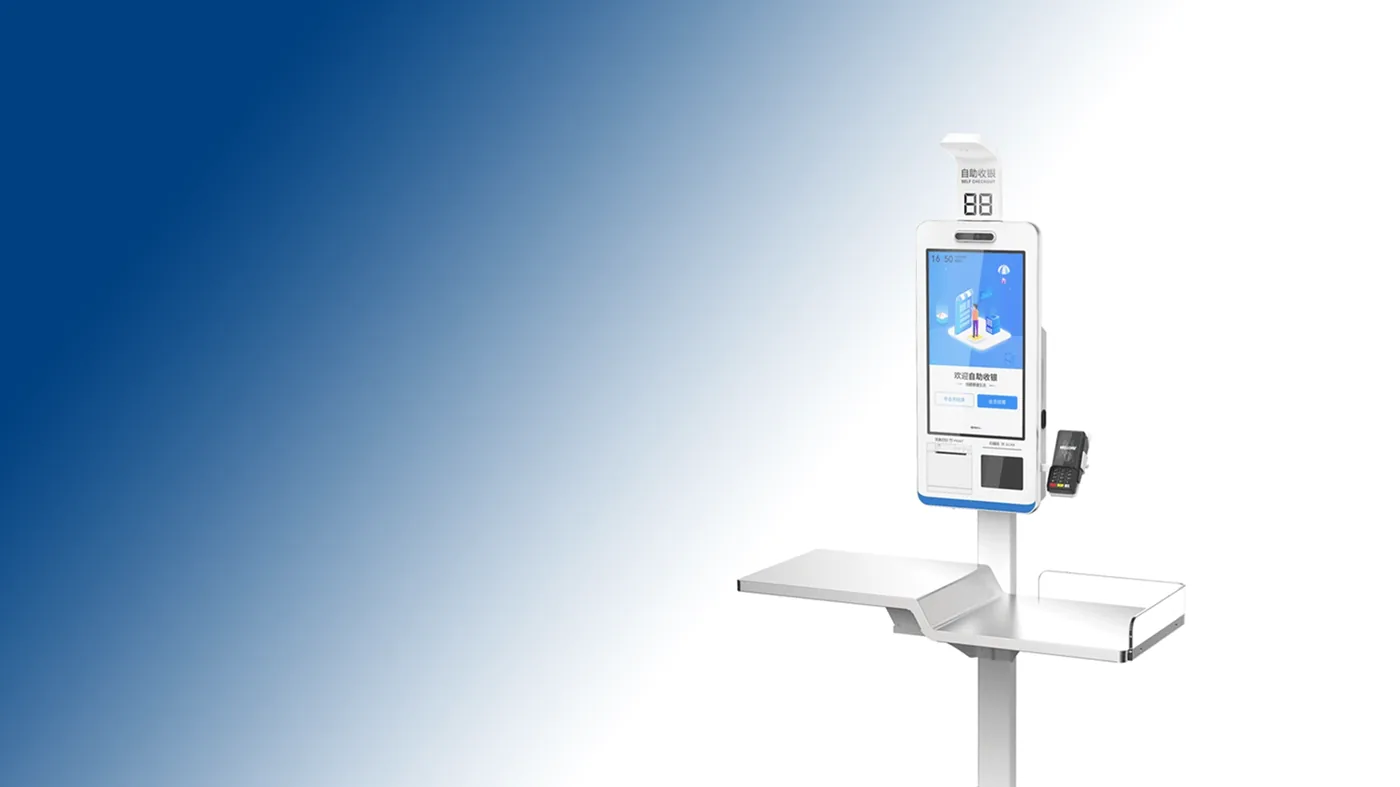
The product manual lists Z3A and Z3W as self-service checkout and self-ordering terminals. Both standard configurations include a 21.5-inch 1920×1080 capacitive touchscreen, floor stand with PE tray, built-in 58 mm thermal receipt printer and built-in 2D barcode scanner. Z3A uses Android 11 with RK3399, 4GB memory and 32GB eMMC; Z3W uses Windows 11 with Core i3-1215U, 8GB memory and 128GB M.2 SSD.
Cost baseline
Standard hardware scope
Cost variable
Optional configuration
That baseline lets a buyer ask what changes the quote. The manual lists options such as RK3576 and higher memory/storage for Z3A, Core i5 and higher memory/storage for Z3W, a 27-inch display, wall-mounted or countertop arrangements, status indicators and a payment-terminal bracket. These should appear as separate options rather than being hidden in a broad “customization” line.
Before comparing a low line-item price, write down the complete hardware scope. A self-checkout kiosk quote may change when the terminal platform, display, scanner, receipt printer, payment-device position, enclosure, packaging method or quantity changes. The useful comparison is therefore not only the cabinet price; it is the cost and responsibility of the configuration that can actually be reviewed.
For a first quotation, separate three types of information: confirmed standard configuration, optional hardware modules and project-dependent items that still require review. This makes it easier to compare two suppliers without treating an unconfirmed software, payment or compliance item as part of the hardware price.
Five items that belong in a self-checkout kiosk quote
1. Terminal platform and display
Start with the computer platform because it affects the software team, storage plan and upgrade path. Record the model, operating system, CPU, memory, storage and display size. A 21.5-inch standard screen and a 27-inch optional screen are not the same installation assumption.
- Z3A Android or Z3W Windows.
- Standard CPU, memory and storage.
- Display size and resolution.
- Customer-display requirement, if any.
- Whether the quote includes a platform upgrade.
2. Scanner, printer and payment space
A quote should state whether the built-in 2D scanner and 58 mm receipt printer are part of the standard assembly. Payment hardware is often a separate device, so record the bracket, mounting location and cable route instead of treating “payment ready” as a complete specification.
- Scanner type and included scope.
- Receipt printer width and access direction.
- Payment-terminal bracket or mounting space.
- Scanner-window and service-access details.
- Software-side test owner.
3. Enclosure, mounting and site fit
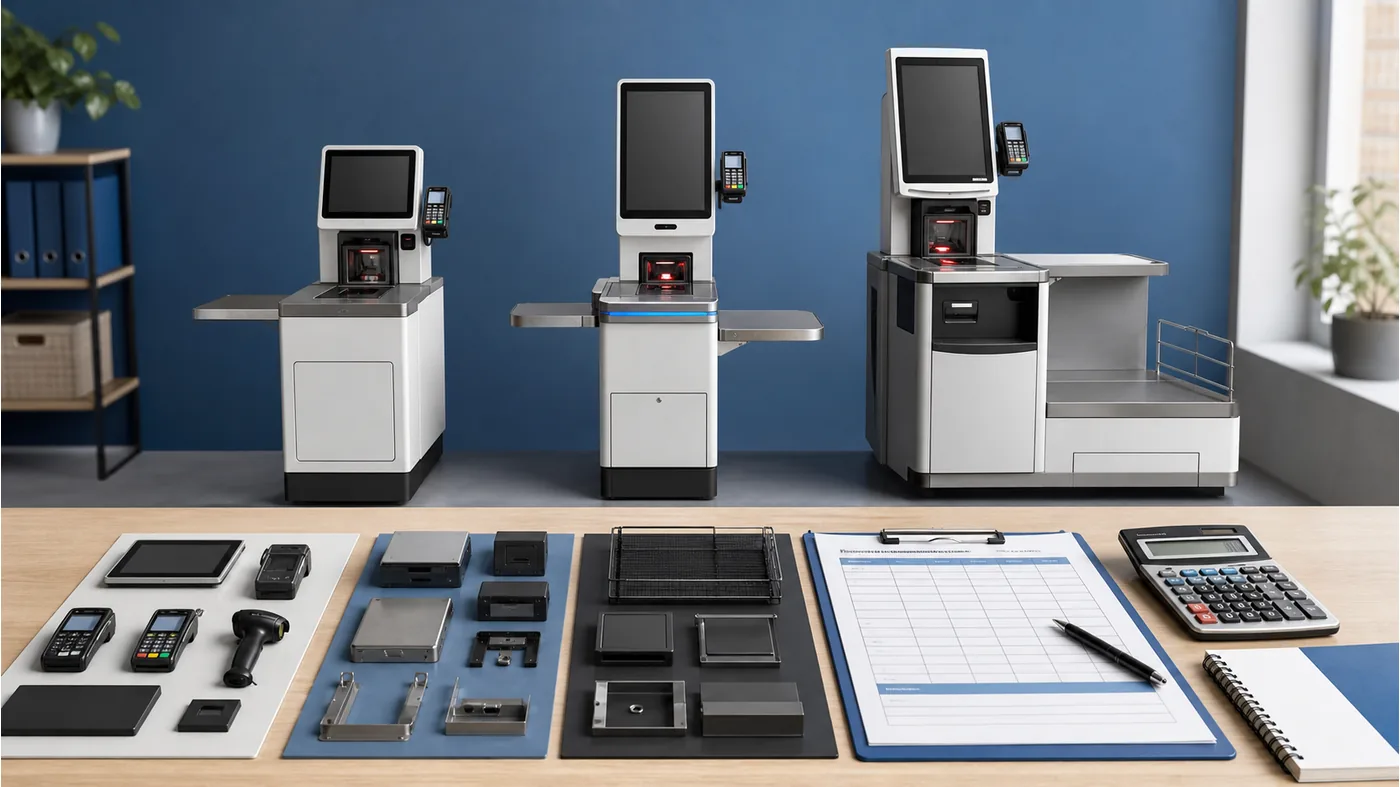
Self-checkout kiosk hardware pricing changes when the physical form changes. Compare floor stand + PE tray, wall-mounted and countertop arrangements by the space and user flow they require. A smaller footprint may change cable access, printer service access and payment placement.
- Floor-standing, wall-mounted or countertop format.
- Tray, shelf and queue-space requirements.
- Service-door and cleaning access.
- Power and network route.
- Site drawing or marked-up photo.
4. Software, testing and optional modules
Separate physical supply from software preparation. The buyer’s application team should define scan, receipt, payment and recovery tests; the quotation should show which hardware modules support those tests and which responsibilities remain with the buyer.
- Operating system image and application handoff.
- Scanner and printer event tests.
- Status indicator or other confirmed peripheral.
- Payment-terminal fit check.
- Acceptance owner and test evidence.
5. Packaging, quantity and commercial assumptions
The per-unit figure cannot be separated from quantity and packing requirements. Record the order quantity, carton or pallet assumptions, labels, power plugs and any sample or pre-shipment checks as separate lines so the buyer knows what the price covers.
- Quantity and unit scope.
- Packaging and label requirements.
- Power adapter and regional plug details.
- Sample or configuration review stage.
- Open items that can change the quote.
Use the POS configuration review path when the configuration is not yet stable.
Compare the quote by workflow, not by the lowest line
A floor-standing Z3 configuration is not automatically the right answer for every project. If the buyer needs a staffed counter, a compact station or a grocery weighing workflow, compare the relevant POS terminal options or POS weighing scale options instead of forcing the kiosk form into a different use case.
Why this is a quote-readiness issue
The purpose of a self-checkout kiosk quote is to make the next decision easier. Tesp can help organize available product options and configuration questions; the buyer’s software team remains responsible for application compatibility, while local specialists confirm site and compliance requirements.
A useful kiosk quote does not hide complexity. It separates the decisions so the buyer can see what is fixed, optional or still open.
How to make two kiosk quotes comparable
Use the same order of questions for every supplier. First compare the terminal platform and display. Then compare scanner, printer and payment space. Next compare the mounting format, optional modules, packaging and quantity. Finally compare what each supplier expects the buyer or software team to test.
This prevents a quote with a lower cabinet price from appearing better when it excludes a payment bracket, printer access, packaging or a required software check. It also makes revisions easier: if the buyer changes from a 21.5-inch standard screen to a 27-inch option, the affected line and site assumption are visible.
- Keep the model and operating system at the top of the quote.
- List standard and optional configuration in separate lines.
- Do not combine hardware, software and packing into one unexplained total.
- Record quantity and sample assumptions separately.
- Ask the supplier to identify every open item before approval.
The result is not a guaranteed final price; it is a quotation that can be reviewed without guessing what has been left out.
Separate fixed hardware from project-dependent items
A buyer can make the quote easier to review by separating fixed hardware from project-dependent items. The Z3A or Z3W terminal, standard display, built-in scanner and 58 mm printer can form the baseline. Display upgrades, wall or countertop mounting, payment brackets, status indicators, special packaging and software preparation should be listed as separate choices.
This structure also makes a change request easier to control. If the buyer changes the operating system, display size or mounting method, the supplier can identify which line changes and which lines remain unchanged. It prevents a revised total from hiding a change in the product itself.
- Baseline terminal and standard configuration.
- Optional hardware modules and enclosure changes.
- Site, software and payment-device assumptions.
- Packaging, quantity and review-stage assumptions.
For an overseas buyer, this line-by-line separation is also useful when several people review the same quotation. The product team can check the hardware, the software team can check the application handoff, and the purchasing team can check quantity and packing assumptions without each person rebuilding the scope from a photo.
This also gives the buyer a cleaner basis for a later replacement or expansion because the original scope remains readable.
That clarity matters when a second store or a replacement unit uses the same approved configuration.
When requesting a self-checkout kiosk quotation, send the intended workflow, screen format, operating-system preference, scanner and printer requirements, payment-device position, enclosure format, sample quantity, rollout quantity, destination market and packaging expectations. If a field is not decided, mark it as open for confirmation rather than leaving it out.
A practical request format
Use this structure when asking for a self-checkout kiosk quote:
Preferred model: Z3A / Z3W / other
Operating system and standard configuration:
Main display:
Scanner and 58 mm printer scope:
Payment-terminal bracket or space:
Mounting method:
Optional modules:
Software test scope:
Packaging and power requirements:
Quantity:
Open quote assumptions:
Compare the self-checkout kiosk hardware, review the configuration scope, and send the confirmed product, configuration and quantity through the Tesp contact page.
FAQ
What is included in self-checkout kiosk cost?
It depends on the model and quotation scope. Ask the supplier to separate the terminal platform, display, scanner, printer, payment space, mounting, optional modules, packaging and quantity assumptions.
How do I compare a self-checkout kiosk quote?
Compare identical model and configuration lines first, then compare optional modules, site fit, testing and packing. A lower headline price may simply exclude items included in another quote.
Are Z3A and Z3W the same kiosk configuration?
They share the self-service form and standard scanner, printer and display scope, but the standard platforms differ: Z3A is Android 11/RK3399, while Z3W is Windows 11/Core i3-1215U. Confirm upgrades and enclosure options separately.
Can a smaller counter use a self-checkout kiosk?
Possibly, but the mounting, service access, payment location and user approach may change. Compare a countertop or staffed POS form when the floor-standing enclosure does not match the site.